


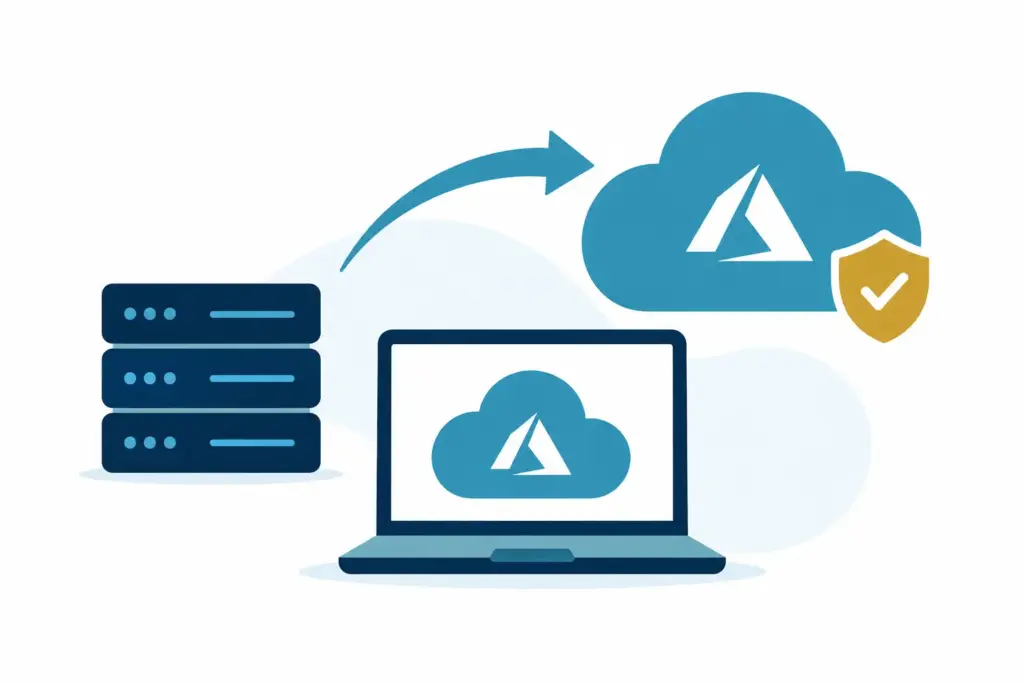
A server that has quietly done its job for years can start demanding more attention than it deserves. Storage runs low, remote access feels clunky, backups take too long to check, or replacing ageing hardware becomes another item on an already full to-do list. These are often the moments when should a business move to Azure becomes a useful question.
For a small business, moving to Azure is rarely about chasing new technology. It is usually about making IT easier to manage, more dependable, and less tied to one piece of equipment in one location. That does not mean every system belongs in Azure, or that a full move is always the sensible answer.
The right decision depends on what is causing friction now, what the business needs next, and whether the change will genuinely make day-to-day work calmer.
When should a business move to Azure?
Azure is Microsoft’s cloud platform. In practical terms, it can provide a home for certain business systems, applications, data, backups, and virtual servers without the business owning and maintaining all the physical hardware itself.
A move normally makes sense when an existing setup is becoming a source of uncertainty. That may be because a server is nearing the end of its useful life, staff need reliable access from more than one location, or the business has outgrown an arrangement that was perfectly reasonable a few years ago.
The clearest signs tend to be operational rather than technical.
Your server needs replacing soon
Replacing a server is a natural point to review the bigger picture. Buying new hardware can still be the right choice, particularly if a business has a stable, local application that works well and does not need much remote access.
However, new hardware also brings ongoing responsibilities. It needs to be maintained, monitored, backed up, secured, and eventually replaced again. If the main reason for keeping a server is simply that it has always been there, Azure may offer a more flexible alternative.
The question is not whether cloud is automatically better. It is whether investing in another physical server gives the business better value and fewer headaches over the next few years.
Staff need to work from different places
A small team does not need to be fully remote for location to matter. Perhaps directors occasionally work from home, a salesperson needs access while travelling, or an office move is planned. If access to a key system depends on being in one building, work can become unnecessarily awkward whenever plans change.
Azure can make selected systems available in a controlled way without relying on a server cupboard in the office. This can reduce the little daily workarounds that build up over time, such as copying files locally, waiting to reconnect, or asking someone in the office to retrieve information.
It still needs sensible planning. Some older applications are not suited to being moved directly, and internet reliability matters. But a need for secure, consistent access from more than one place is a good reason to explore the options.
Your backup and recovery plan feels uncertain
Many businesses have backups in place, but are less certain about how quickly they could restore a system or where they would work if the office were unavailable for a day or two. That is not a failure. It is simply a common gap between having a backup and having a workable recovery plan.
Azure can support off-site backups and hosted systems, reducing reliance on a single office location. For some businesses, the best first step is not moving a live server at all. It is improving backup and disaster recovery so that important data and systems are protected before larger changes are considered.
This is often the quieter, more sensible route. There is no prize for moving everything at once.
Costs are unpredictable or difficult to plan
Physical servers create uneven costs. There may be several quiet years, followed by a larger bill for replacement hardware, licences, storage, or repairs. Azure changes that pattern, usually towards regular monthly costs that can be adjusted as requirements change.
That predictability can be useful, but cloud services are not automatically cheaper. A poorly planned Azure setup can cost more than expected, particularly where systems run continuously or use more storage than anticipated. The benefit is control and flexibility, provided the service is designed around what the business actually uses.
For a team of 10 or 20 people, the goal should be a clear, understandable monthly arrangement, not a collection of cloud services nobody feels confident explaining.
What a move to Azure can look like
Moving to Azure does not have to mean switching off every on-site system in one weekend. In fact, that is rarely the most comfortable approach for a small business.
A gradual move might begin with cloud backup, followed by a virtual server for one suitable application. In other cases, Microsoft 365 already covers much of what the business needs for email, document collaboration, and identity management, while Azure is used only for a specialist application or recovery capability.
There are also hybrid arrangements, where some systems remain on-site and others move to the cloud. This can be a practical middle ground when an older application needs local equipment but the business still wants better resilience and remote access elsewhere.
The best arrangement is the one that removes real points of friction without introducing new complexity. Good IT should feel boring in the right way. Staff should be able to get on with their work rather than notice a grand technical transformation happening around them.
When Azure may not be the right move yet
There are situations where staying with an on-site server, at least for now, is entirely reasonable. A stable business with one location, dependable hardware, modest storage needs, and an application that works best locally may not gain enough from a migration to justify the disruption.
Similarly, if the immediate issue is poor Wi-Fi, ageing laptops, unclear user access, or unreliable backups, moving a server to Azure may not solve the underlying problem. It can be tempting to treat cloud services as a cure for every IT gremlin, but the first job is to identify what is actually getting in the way.
A move may also need to wait if there is a major business change on the horizon, such as an office relocation, software replacement, or acquisition. In those cases, a short period of stability can be more valuable than starting a migration before the requirements are clear.
Waiting is not falling behind. It is simply choosing the right order for the work.
Plan around the business, not the technology
Before deciding, it helps to look at a few straightforward questions. Which systems would cause the most disruption if they were unavailable? Who needs access to them, and from where? Is the current hardware approaching replacement? What would a realistic recovery look like after an office issue or equipment failure?
It is also worth separating systems that must be available all the time from those that can remain simple. A finance application used by two people may need a different approach from a shared file system used across the business. Treating everything the same is where costs and complexity can creep in.
A good plan should set out what moves, what stays, what it will cost each month, and how staff will be supported through the change. It should also allow time for testing. The aim is not a dramatic cutover. It is a controlled change that avoids interrupting payroll, customer work, or an ordinary Tuesday afternoon.
The decision is about confidence
Azure is most useful when it helps a business reduce dependence on ageing equipment, improve access, strengthen recovery options, or make costs easier to plan. It is less useful when it is chosen simply because cloud sounds like the next expected step.
For many SMEs, the right answer is not a full migration. It is a measured improvement to the parts of IT that create the most uncertainty. A straightforward conversation with an experienced IT partner can clarify those priorities and leave the technology in the background, where it belongs.