


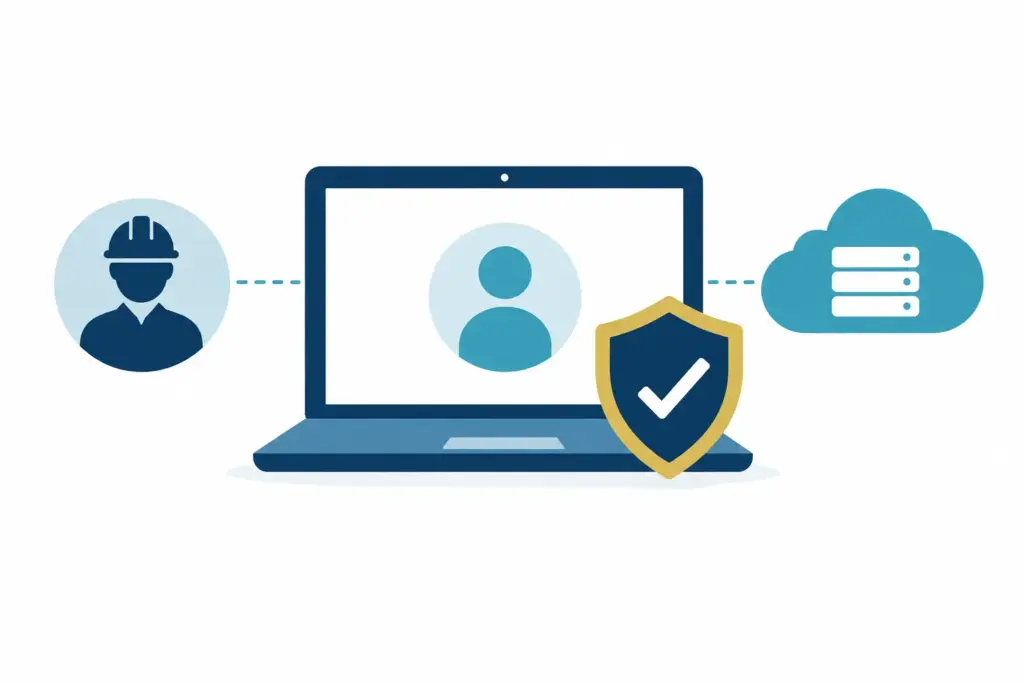
A new supplier often needs access before anyone has had time to think through the details. Your website agency needs hosting credentials. Your accountant needs financial records. A software provider asks for an administrator account to help with support. To manage external supplier access well, the aim is not to make every request difficult. It is to make access clear, limited and easy to remove when the work is done.
For a small business, this is mostly about avoiding small loose ends. One old login rarely causes a problem on its own. Over time, though, a collection of shared passwords, former contractors and unknown administrator accounts can make ordinary changes far more awkward than they need to be.
Why supplier access becomes unclear
Most access is given for a sensible reason. A supplier is helping to solve a problem, a colleague is busy, and sharing a password feels like the quickest route forward. The job gets completed and everyone moves on.
The difficulty usually appears months later. The supplier has changed staff, the original contact has left, or your business wants to move to a different provider. Nobody is quite sure who can still sign in, what they can see, or whether removing them could interrupt something important.
This is not a sign that anyone has handled IT badly. It is a normal side effect of a growing business using more specialist services. The useful response is simply to bring a little order to it.
Supplier access also comes in different forms. It may be a named account in Microsoft 365, access to cloud accounting software, remote support on a computer, or an administrative login for a website domain. These do not all need the same treatment. The level of access should match the job being done.
Start with ownership, not technology
The most helpful question is not, “What permissions does this supplier need?” It is, “Who in our business owns this system and this supplier relationship?”
Every important service should have an internal owner. This does not mean that person needs to understand the technical detail. They simply need to know why the service exists, who the supplier is, and who to ask before a significant change is made.
For example, an office manager may own the relationship with the telecoms provider, while a director owns the company’s website domain and payment account. The person responsible for IT can help manage the access, but business ownership should remain with the business.
This matters particularly for accounts that control other accounts. Your domain name, Microsoft 365 tenant, internet connection, backup platform and finance systems all deserve clear ownership. If a supplier helps administer them, that can be entirely appropriate. The key is that the business retains a known route to control and recover them.
A short register is usually enough. Record the supplier, the system they use, the internal owner, the access they have, and the date it was last checked. It does not need to become a grand spreadsheet project. A simple, maintained record is more useful than an elaborate document that no one opens again.
Manage external supplier access around the task
Access should be proportionate. A supplier maintaining a website may need access to website hosting, but not to your whole Microsoft 365 environment. A payroll provider may need payroll records, but not unrestricted access to every shared folder.
This sounds obvious, but it helps to pause before approving a broad request. Ask what work the supplier is carrying out, which system they need, and whether the access is needed permanently or only for a short period.
Where possible, give suppliers their own named account. This creates a clear record of who has access and avoids the usual trouble caused by shared passwords. It also means access can be removed for one individual without disrupting everyone else.
Administrative access deserves extra care. Some work genuinely requires it, especially when a supplier is configuring or supporting a service. However, it should be the exception rather than the default. If a lower level of permission lets them do the job, it is usually the better choice.
There is a balance here. Restricting every small request can slow useful work and create frustration. Giving every supplier broad, permanent access may be convenient in the moment but creates uncertainty later. The sensible middle ground is to give enough access for the agreed work, for as long as it is needed.
Avoid shared credentials where you can
Shared logins are often the source of the biggest headaches. They make it difficult to know who has used an account, awkward to change a password, and risky when a supplier relationship ends. They can also mean a former employee or contractor still has a route in without anyone realising.
A shared account may sometimes be unavoidable with an older system. If that is the case, make sure the business holds the recovery details and knows where the credentials are kept. Change the password when the person using it changes, or when the supplier’s role comes to an end.
For modern services, use individual accounts and turn on multi-factor authentication. This adds a simple second check when someone signs in. It is not about putting obstacles in people’s way. It reduces the chance that a password alone can grant access to an important business service.
Do not rely on an individual supplier employee’s personal email address as the only recovery route for a business-owned account. A named business contact, a shared monitored address, or an internal administrator is usually easier to manage over time.
Keep the business in control of recovery
Recovery options are easy to overlook because they are only used when something goes wrong. Yet they are often the difference between a short inconvenience and a long conversation with support.
For critical accounts, check that recovery email addresses and telephone numbers belong to the business or to a trusted internal contact. Keep records of licence renewals, account numbers and main support contacts in a secure place. Your supplier can still assist, but the business should not be locked out if that relationship changes.
Review access at ordinary moments
You do not need a monthly audit meeting for every system. For most SMEs, a few practical review points work well: when a project finishes, when a supplier changes staff, when someone leaves your business, and before renewing a major contract.
At those points, ask a few straightforward questions. Does this supplier still need access? Is the named person still working on the account? Do they still need the same permission level? Is there an internal owner who understands the arrangement?
A yearly review of your main systems is also worthwhile. Focus on the accounts that hold sensitive information or have the power to affect many other services. Microsoft 365, finance software, domain management, backups and file storage are sensible places to start.
This is also a good time to remove old guest accounts and unused administrator roles. These are not always a concern, but they are easy to forget. Removing access that is no longer needed makes your systems tidier and reduces the number of questions when a change is required.
Build access changes into supplier offboarding
When a supplier arrangement ends, access should be part of the handover conversation, not an afterthought. Confirm which accounts they used, who will take over, which files or documents need to be transferred, and which permissions should be removed.
Be careful not to remove access too early. A web agency, for example, may need to complete a handover or provide information to the new provider. Agree a clear final date, then remove accounts, reset shared credentials where relevant, and check that recovery details are still correct.
It is worth separating the supplier’s access from the supplier’s knowledge. Removing a login is one task. Making sure your business has the documentation, account details and routine information to carry on is another. Both matter.
When a little outside help is useful
Some arrangements are simple enough to handle internally. Others become harder when several suppliers have overlapping access to Microsoft 365, cloud systems, devices and backups. In those cases, an IT partner can help identify what exists, clarify ownership and set up a straightforward process that does not create more admin for your team.
The goal is not perfect paperwork or layers of approval. It is knowing who has access, why they have it, and how the business stays in control. Once that is clear, supplier access becomes one less IT gremlin waiting to interrupt a busy afternoon.